How Many Listings Should You Post a Day?
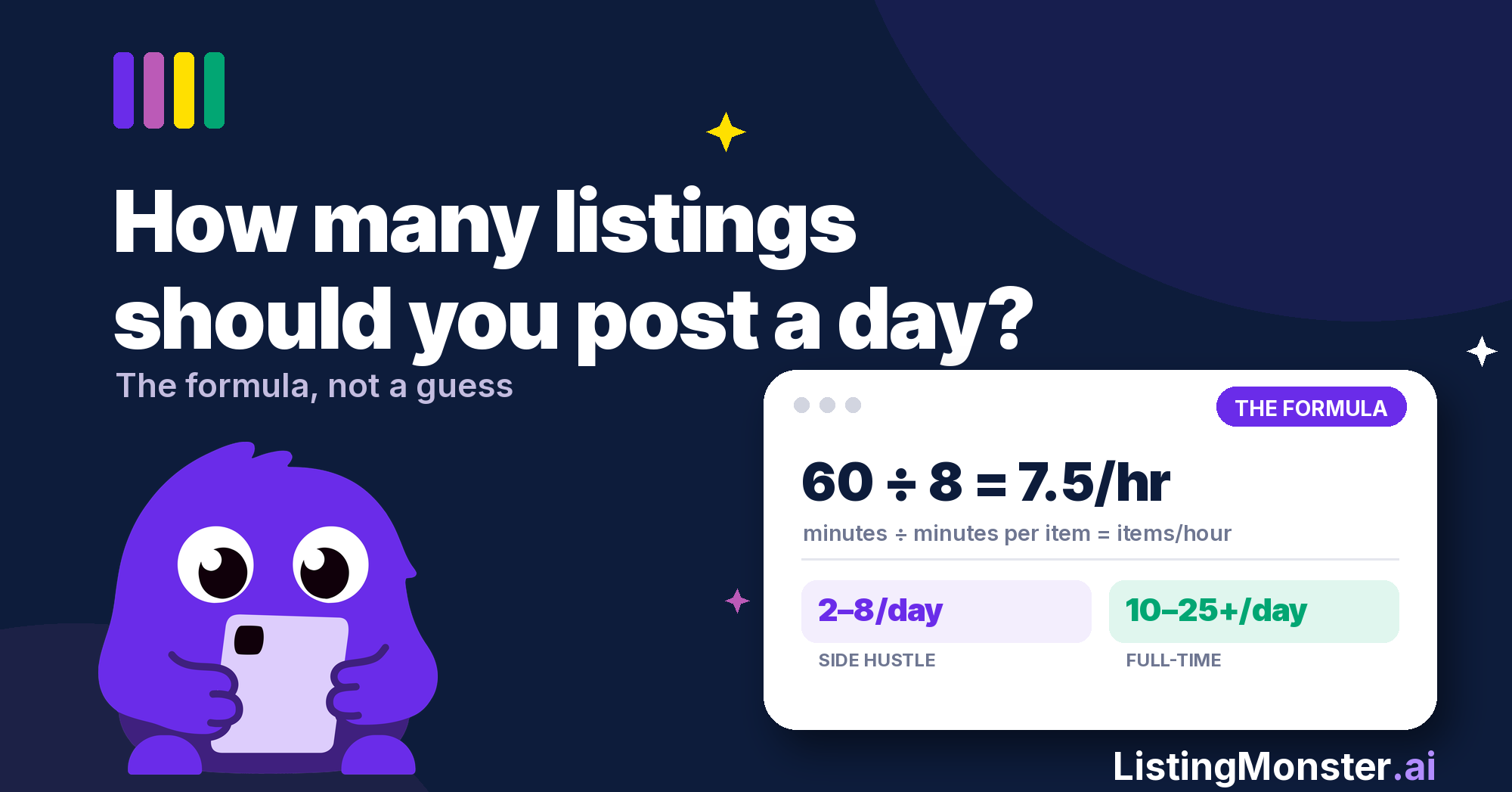
Most resellers ask this the wrong way round. "How many listings should you post a day" isn't a single number you can copy from a forum thread, it's 2 inputs multiplied together: how many hours you can give to listing, and how many minutes each one takes you, start to finish. As a rough benchmark, a side hustler might aim for 2 to 8 listings a day, while a full-time reseller might manage 10 to 25 or more. But borrowing someone else's number without knowing your own minutes-per-item is exactly how backlogs happen.
This guide covers the formula, realistic benchmarks by reseller type, and the eBay and Vinted specific factors worth knowing before you set a target.
Start With a Week, Not a Day
Before you pick a daily number, work out your weekly capacity first. A reseller with a full-time job and one clear Saturday might get more done in one long batch session than by forcing themselves to squeeze 6 listings into a weeknight evening after work.
If your weekly capacity works out at 40 listings, that doesn't automatically mean 8 a day, 5 days a week. It might mean 30 on Saturday and 10 spread across the week from a draft bank. The daily number is just one way of splitting up your weekly capacity, not the target itself.
There's No Universal Number, Just a Formula
Search any reseller forum and you'll find wildly different answers. Some sellers swear by 5 a day. Others list 50. Both can be right, because they're not solving the same equation.
Your listing capacity comes down to 3 things:
- How many hours a week you can give to listing (the whole job, from first photo to published, not just typing)
- How many minutes each listing takes you on average
- What you're sourcing, since a charity shop haul of everyday clothing lists a lot faster than a box of unmarked vintage jewellery
Change any one of those and your capacity changes too. That's why a fixed number borrowed from someone else's setup rarely survives contact with your own.
Weekly listing capacity = weekly listing minutes ÷ average minutes per listing
Daily target = weekly listing capacity ÷ number of listing days
Sustainable target = whichever is lower: your listing capacity or your sourcing capacity
That last line matters more than it looks. There's no point calculating a capacity of 15 a day if your sourcing only produces 20 items a week.
The Formula: How to Work Out Your Own Number
However many items you should list a day, on eBay, Vinted, or both, the same 5 steps get you there. Work it out properly in about 10 minutes.
Step 1: Set your weekly listing time budget.
This covers the whole job of turning unlisted stock into live listings: photography, research, writing and publishing. If you've got 10 hours a week for reselling overall and sourcing, packing and dispatch take 6 of them, you've got 4 hours left to turn stock into listings.
Step 2: Time yourself on 5 real listings.
From the first photo to hitting publish, no rushing and no dawdling. Average it out. This is your minutes-per-item.
Step 3: Divide.
60 minutes ÷ your minutes-per-item = items per hour. Multiply that by your weekly listing hours, then divide by the days you actually list on.
Step 4: Sense check it against your sourcing.
Your sustainable number is whichever is lower: what your listing time allows, or what your sourcing runs actually produce.
Step 5: Build in a buffer.
Aim slightly under your calculated maximum. A number you hit every day beats a number you hit twice a week and feel bad about the rest of the time.
A worked example: 4 hours a week for listing, 8 minutes per item once you're warmed up, listing 4 days a week. That's 60 ÷ 8 = 7.5 items an hour, so roughly 30 items across the week, or 7 to 8 a day. Round down to 6 or 7 and you'll actually hit it.
How Many eBay Listings Per Day Should You Aim For?
eBay applies account-level selling limits, particularly to newer sellers, which can restrict both the number and total value of items you can list or sell in a month. These limits vary by account and change as you build a selling history, so check your current allowance in Seller Hub rather than going by a figure you've read elsewhere.
There's a separate cost consideration once you're past new-seller limits. Private sellers get 300 free listings a month, or 400 with an eBay Shop subscription, then pay 35p per listing after that. If your calculated target is around 20 a day, that's roughly 600 a month, well past the free allowance, so it's worth factoring insertion fees into your numbers before committing to an ambitious daily target.
As a rough benchmark, the practical range for eBay tends to track commitment level:
- Side hustle, evenings and weekends: 2 to 5 a day
- Serious part-time, building toward real income: 5 to 13 a day
- Full-time, 5 days a week: 10 to 20 or more a day
Volume only helps if the listings themselves are competitive. Accurate titles, item specifics, photos and pricing give each listing a better chance of being found, and of converting once it is.
How Many Vinted Listings a Day Is Realistic?
Vinted is a different game. Standard sellers pay £0 in listing or selling fees, whatever you list for is what you get paid. Unlike eBay's account-level selling limits, Vinted doesn't give ordinary sellers the same kind of monthly item-and-value allowance to work around. In practice, your sustainable listing volume is more likely to be capped by your time, sourcing and storage than by anything the platform imposes.
If you're new to Vinted, don't chase a number for its own sake. For most new sellers, a sustainable flow of well-priced, well-photographed listings is more useful than chasing a huge one-off listing day you can't repeat.
For a fuller breakdown of how eBay and Vinted actually compare on fees, audience and category fit, our eBay vs Vinted 2026 guide covers it in more depth.
Quantity vs Quality: The Trade-off That Actually Matters
Think of listing quality as a 3 stage funnel. Your title, category and item specifics determine whether you can be found in search (impressions). Your lead photo and price determine whether someone clicks (click-through). Your remaining photos, description, condition and overall offer determine whether that click becomes a sale (conversion).
Rushing your daily count usually costs you at different stages depending on what gets cut. Skip item specifics to save time and you risk disappearing from searches where buyers have filtered by those attributes, brand, size, or condition. Use 3 rushed phone snaps instead of a proper photo set and you'll get found but not clicked, or clicked but not converted.
That's important because it changes the formula itself. Cutting an 8 minute listing down to 6 minutes increases theoretical output from 7.5 to 10 listings an hour, without adding another hour to your day. Listing tools that handle the research, title structure and item specifics for you can cut minutes-per-item without cutting the parts that actually drive sales, which is a different trade-off entirely to just typing faster.
"At one point I was spending hours tweaking my photo setup instead of getting items live. The turning point was realising this was just busy work, not actually productive. Once I simplified to one consistent setup and stopped overthinking it, my listings jumped from 40 to 60 a day, adding roughly $500 in revenue a week."
Billy Burridge, former #1 menswear seller on Depop
The time wasn't going on anything that made the listings better. It was going on a step that didn't need to take that long in the first place.
Signs You Should List More (or Fewer)
Your daily number isn't fixed once you've calculated it. Sell-through rate, how much of what you list actually sells within a given window, is the metric that tells you which way to adjust.
Increase volume when:
- Sourcing can support it without dropping the quality of stock
- Sell-through rate stays healthy as you add more listings
- You have the processing and storage capacity to handle the extra active inventory
Reduce or reconsider volume when:
- Active inventory is climbing much faster than sales
- Sell-through rate is falling as volume rises
- Storage is becoming a problem
- You're skipping item specifics or photos to hit a number
The number that matters most isn't listings per day in isolation. It's whether that pace is actually converting into sales without burning you out or burying you in unsold stock.
The formula above gets you a workable number today. For the fuller picture on pricing, sourcing and running the numbers properly as you scale, our Reseller Handbook 2026 covers it in depth.
FAQs
Is it better to list every day or in batches?
Both can work. Batching, photographing and listing several days' worth in one sitting, is often more efficient because you reduce setup and context-switching time. Daily listing can make it easier to maintain a consistent routine. Choose whichever gives you the highest sustainable weekly output without sacrificing listing quality.
Do more listings help you rank higher on eBay or Vinted?
More listings mean more search terms you can be found under, which increases your chances of a match. But listing quality, title, photos, item specifics, has a bigger individual impact on whether a specific listing gets found and clicked than volume alone. A smaller batch of well-optimised listings competes better than a larger batch of rushed ones.
How many active listings should I have running at once?
There's no useful benchmark without knowing your sell-through rate. Selling 100 items a month from 500 active listings is very different from selling 20 from the same inventory. Track how quickly stock is moving, how long items have been live, and how much cash is tied up in inventory that isn't moving. Your ideal active count is whatever your sourcing, storage and sales can support without stock piling up indefinitely.
Should beginners list every day?
Not necessarily. New sellers are better off getting one listing genuinely right, title, photos, item specifics, condition notes, before worrying about frequency. New eBay sellers may also have account-level selling limits, so check your current allowance before setting an aggressive volume target.
Is there a downside to listing too many items too fast?
Yes. Rushed listings tend to skip item specifics and use weaker photos, which hurts discoverability and conversion. You can also end up with more active stock than your storage or dispatch capacity can handle, which creates a backlog on the other end of the process instead of the listing end.
.png)